

JH-G1200/G1600 Digital Microscope Button and Value Detailed Guide
View options & buy (prices in NT$, tax included)
Button and Value Guide:
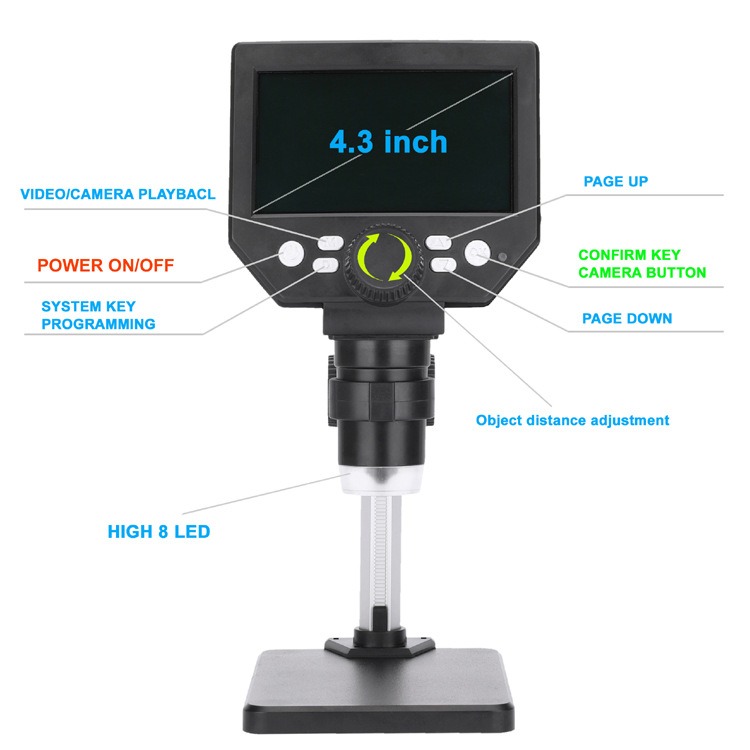
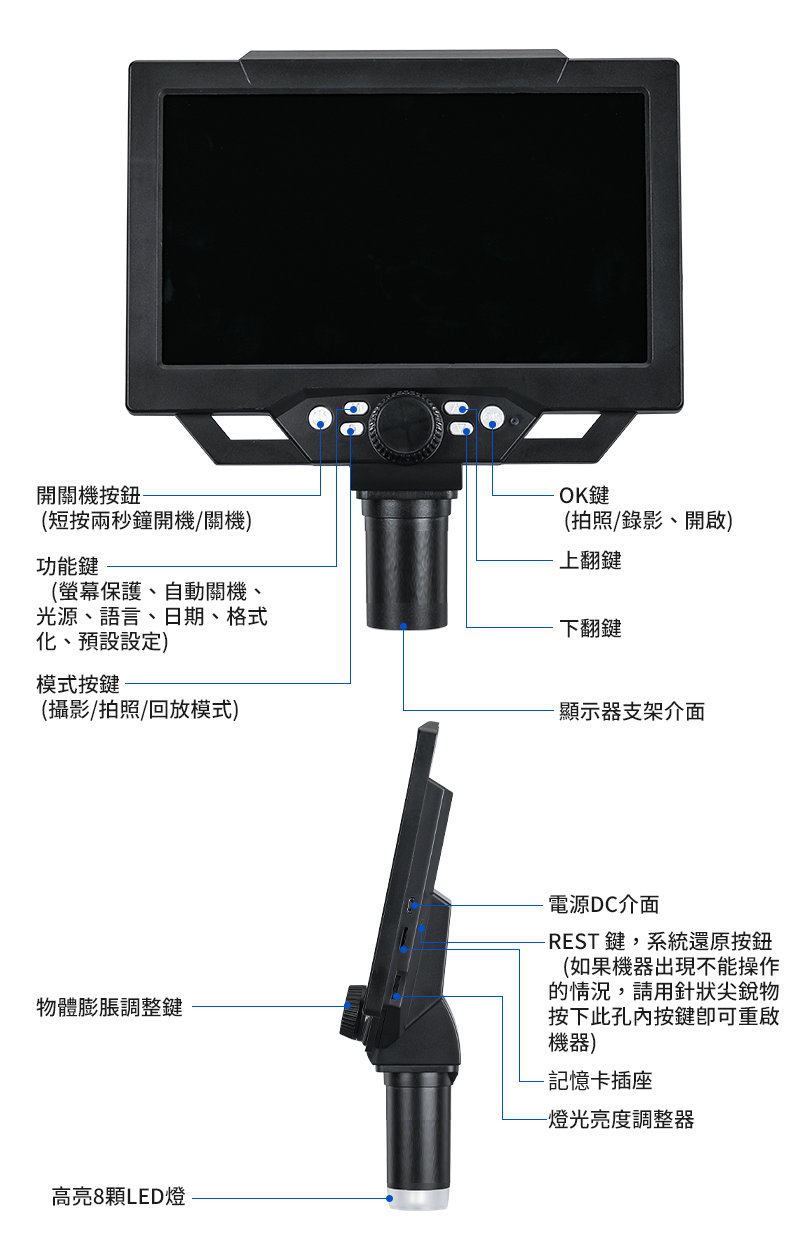
Power On/Off Button
Long-press for two seconds to power on · power off
M Button: Function Setting Button
Screen Saver: Off · 30 seconds · 1 minute · 2 minutes (optional)
Auto Power Off: Off · 3 minutes · 5 minutes · 10 minutes
Hz Light Source: 50Hz · 60Hz
Language Options: 16 language choices
Date Adjustment: Year · Month · Day | Hour · Minute · Second
Format: YES/NO
Default Settings: YES/NO
V.1.0 Version Number; Version: H69G-V1.0-20190824
In Video Mode:
Resolution: 1080FHD, 720P, VGA
Loop Recording: Off/3 minutes/5 minutes/10 minutes. When the memory card is full, the earlier video data will be deleted before recording and saving continues.
HDR High Dynamic Range: On/Off (when enabled, if an object moves below the lens, video recording starts automatically with no manual operation required.)
Exposure Compensation: 7-level option
Date Stamp: On-screen selectable display/off – date and time
In Photo Mode:
Photo Time-Lapse: Single shot · 2 seconds · 5 seconds · 10 seconds
Photo Pixels: 1.3M · 2M · 5M · 8M · 10M · 12M
Burst: 3-shot burst
Photo Quality: Fine · Standard · Compressed
Sharpness: Strong · Standard · Soft
Color: None · Black & White · Sepia
ISO: Auto · 100 · 200 · 400
Exposure Compensation: 7-level selection
Photo Assist: Anti-Shake On/Off
Date Stamp: On/Off
Storage Space:
View: Up · Down Delete Protect
D Button: Mode Button:
Switch: Video Mode · Photo Mode · Playback Mode:
Up Button, Down Button, OK Button (photo/video, start button)
- Power DC Interface (Micro USB).
- Memory Card Slot (MicroSD), supports 1-128GB. Class10 or higher speed
- Light Brightness Adjuster.
- RESET Button, system restore button. (If the device cannot be operated, use a sharp needle-like object to press the button inside this hole to restart the device.)
- Eight high-brightness LEDs with a continuous service life of up to 100,000 hours.